
Put your site orientation, SOPs and competency checks in the FloatR app, and make sure FloatRs have passed them before they claim your tasks.
Every lab has things a new face needs to know before their first draw: where to park, where to check in, how your requisitions work, which tubes go where, who to call when something breaks. Usually that gets passed along on the first shift by whoever is least busy, or it doesn't get passed along at all.
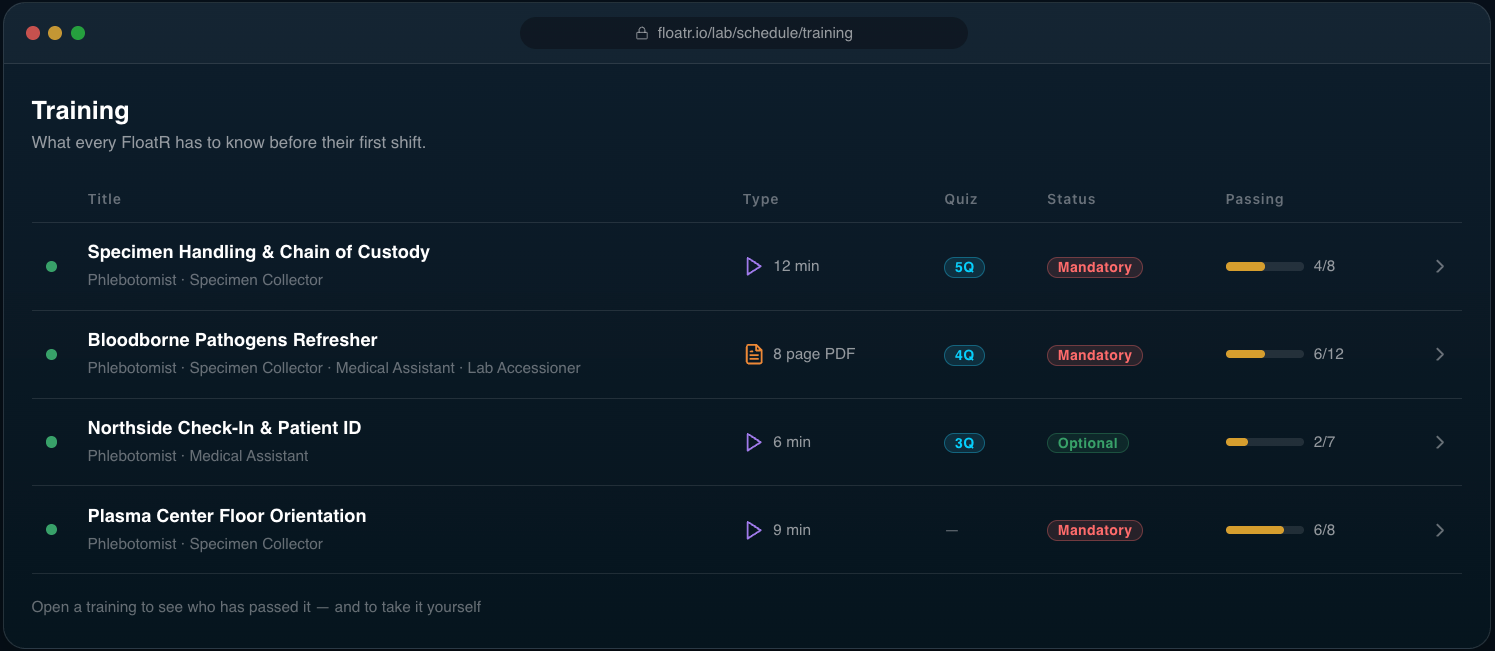
Training moves it ahead of the first shift. You build short trainings, each a video or a document with an optional quiz, and choose the jobs they're for. FloatRs complete them in the app on their own time, before they arrive. Make one mandatory and FloatRs can't claim your tasks until they've passed it.
What a training is
Each training is one piece of content, and a quiz on it if you want one:
- A video. Upload the file, or link to it on YouTube, Vimeo or anywhere else.
- A document. Upload a PDF: an SOP, a site map, your specimen-handling guide.
- A quiz, if you want one. Multiple-choice questions, each with 2 to 10 options and one right answer. You set the passing score, 80% unless you change it, and can cap the number of attempts.
A training with a quiz is passed when the FloatR scores at least the passing score. One without a quiz is passed when they mark it complete.
Who sees it
Trainings are targeted by job. Tick the jobs a training is for, such as Phlebotomist or Specimen Collector, and it shows on every one of your tasks for those jobs. Your phlebotomy orientation never gets in the way of someone picking up a courier run.
Two switches decide the rest:
- Active. FloatRs only see active trainings, so you can build one, check it, then switch it on.
- Mandatory. A FloatR has to pass a mandatory training before they can claim or apply for your tasks for its jobs. Optional trainings show on the task too, but don't hold anyone back.
Order sets the sequence FloatRs see them in, so your welcome video comes before your specimen-handling quiz.
What FloatRs see
When a FloatR opens one of your tasks, the app lists its trainings and marks each one Completed, Mandatory or Optional. If a mandatory one isn't done, the task says Mandatory training required for this task and the Claim button is locked. One tap opens the training.
From there they watch the video or open the document, see the passing score and how many attempts they've used, and take the quiz. When they finish, they see their score, whether they passed, and each question with their answer beside the right one. A failed attempt teaches them something instead of only blocking them. Once they pass, the task they came from unlocks.
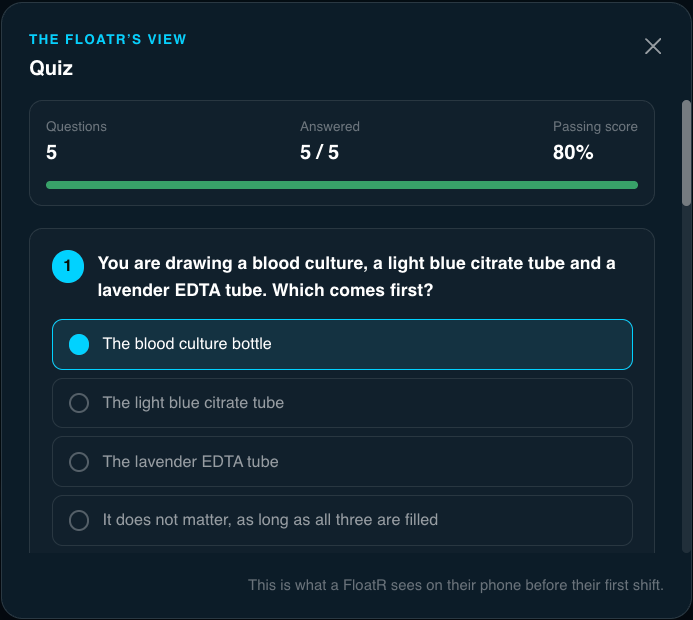
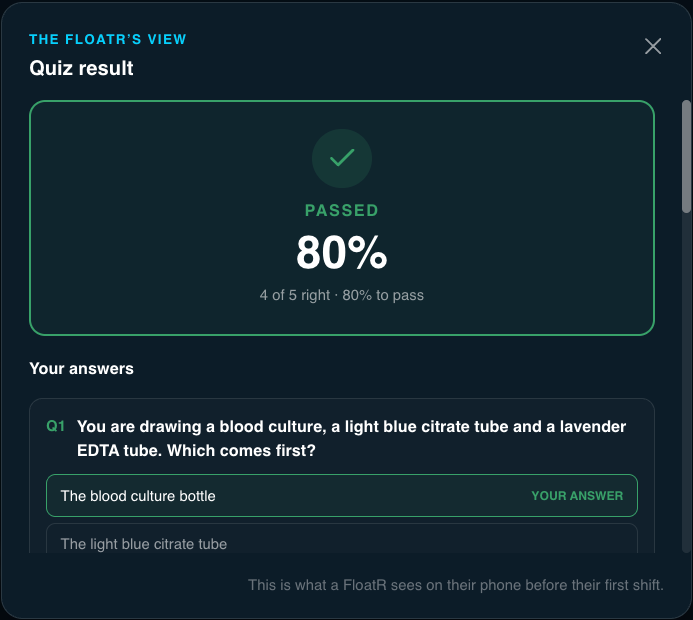
The Training tab in the app keeps the trainings from the labs they work with in one list, with how many they've completed.
What you see
Schedule → Training lists your trainings, marked active or inactive and mandatory or optional. Each training has its own analytics:
- How many FloatRs have passed and how many have failed, with the total attempts behind each number.
- A quiz log of every attempt, with the score and when it happened.
- Passed and Failed lists with each FloatR, how many attempts they took, their score and the date.
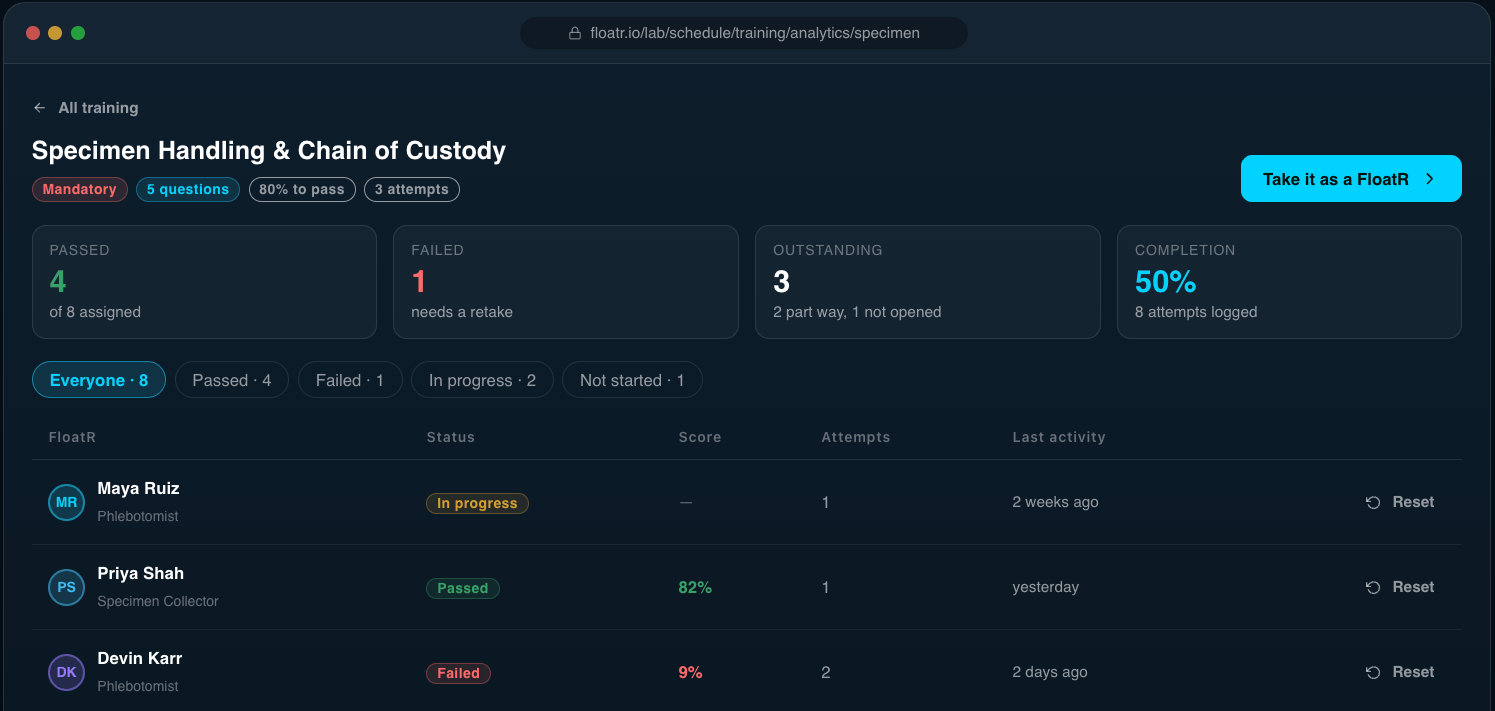
If FloatRs keep needing three tries on one training, the training is usually the problem: a question is unclear, or the video skips a step.
Training shows up in Network too. Each FloatR's row has a meter against your mandatory trainings and a count of the optional ones they've passed, so you can see who's cleared to work before you approve them. Approving someone lets them skip your claim queue, but never your mandatory training.
Connect it to your learning system
If your training already lives in an LMS or HR system, you don't need to keep two copies by hand. The new FloatR API can create and update trainings, upload their videos and documents, and pull results, and a webhook can tell your systems the moment a FloatR passes or fails one. Introducing the FloatR API and Webhooks has examples.
How we'd use it
- Start with a short site orientation, mandatory for every job: parking, check-in, where specimens go. Five quiz questions, 80% to pass. It answers the questions you hear on every first shift before anyone asks them.
- Add your SOPs as documents. Make the critical ones mandatory and the rest optional.
- Cap attempts on competency checks, not on orientation. Three attempts on a specimen-handling quiz says learn this. Unlimited attempts on the welcome video says just watch it.
- Build it inactive, then switch it on. Take the quiz yourself before FloatRs see it.
- Check the analytics after the first week. Lots of repeat attempts point to a question worth rewriting.
- Check the Network meter before you approve someone, so you know who can work for you today.
Want to see it as a FloatR does? The Product Tour lets you take a sample onboarding quiz before you create an account.
Find it under Schedule → Training.